
The Webics Client Portal App Is Here, on iPhone and Android

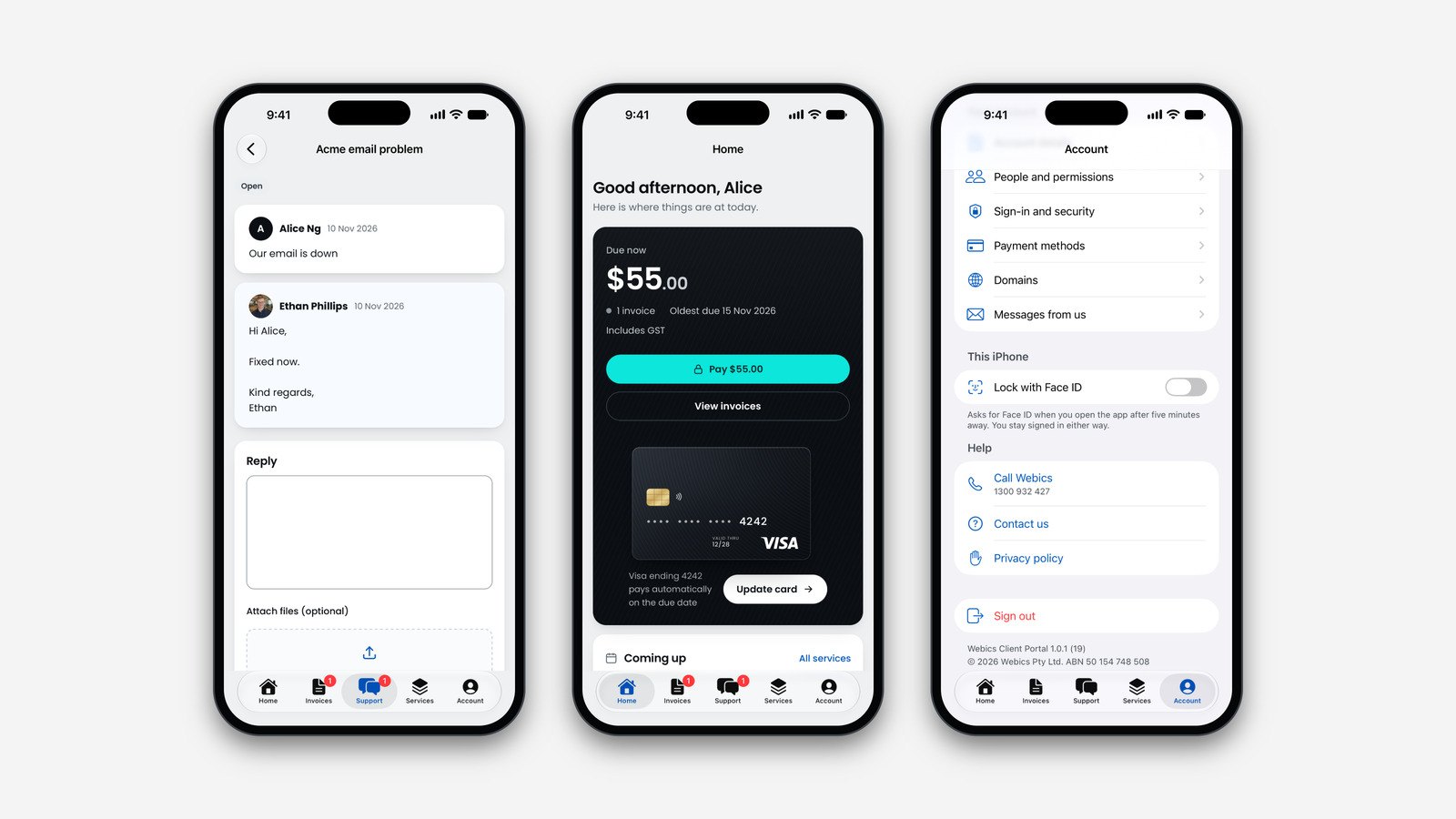
Most of what you need from us already lives in the client portal: your invoices, your support requests and the services you have with us. Now it’s in your pocket too. The Webics Client Portal app is live on the App Store and Google Play, and it’s the same account you already have, so there’s nothing new to set up.


Sign in with a code, not a password
Type the email address on your Webics account and we’ll email you a 6-digit code. Enter it and you’re in. There’s no password to remember, and nothing to reset when you forget it.
The app has no ads and doesn’t track you. It’s your account and nothing else.
See what’s due and pay it in a few taps
The Home tab shows what’s due now and when. Open any invoice to pay it by card, or save or share the PDF for whoever does your books. Paid invoices stay listed underneath with a search, so last year’s invoice is a few seconds away instead of buried in your inbox.
Prefer not to think about it at all? Save a card and it pays on the due date. Card details are entered on our payment provider’s secure page, and the app never stores them.
Ask for help and read our reply in the same place
The Support tab is where your requests live. Start a new one, add a photo or a file (a screenshot of the error helps us most), and our replies come back to the same thread, signed by the person looking after it. Invoices and Support show a count on their tabs, so you can see at a glance when something is waiting.
Your services, your team’s access, and our number one tap away
Services lists everything you have with us, from hosting and email to SEO, with when each one renews. Account covers your business details, who in your team can sign in, your payment methods, your domains and the messages we’ve sent you.
On iPhone you can lock the app with Face ID, and press and hold the app icon to jump straight to your invoices or a new support request. Call Webics rings our office in one tap, on either phone.
Download it and sign in with your Webics email
Search for Webics Client Portal on the App Store or Google Play, or use the buttons below. If the code doesn’t arrive, or you’re not sure which email address is on your account, call us on 1300 932 427 and we’ll sort it out.
On a computer, the same portal is at secure.webics.com.au.
See more from us in Google Search.